















Circle Drive
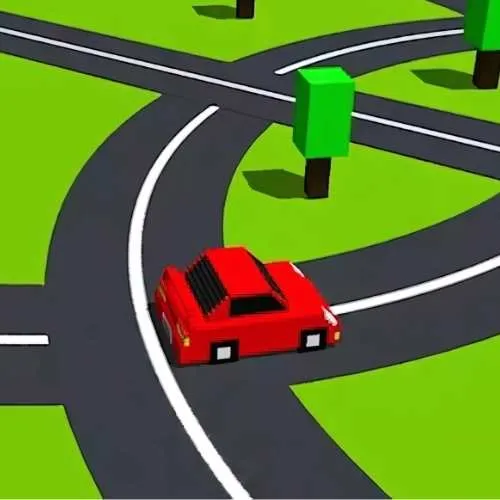
Hold your breath and grip the wheel in Circle Drive! Navigate a high-speed neon circuit where the only way out is through. Test your reflexes in this mesmerizing orbital racer—how many laps can you survive before the walls close in?
Technology
HTML5
Released
02/18/2025, 12:19:18 AM
Last Updated
08/12/2026, 04:27:34 PM
Circle Drive Description
Circle Drive is a minimalist, high-octane test of focus and timing. You control a sleek vehicle locked into a circular orbit, but this is no ordinary track. The path is filled with shifting obstacles, sudden barriers, and lethal traps that appear in a heartbeat.
The game is a dance of precision. You must switch lanes and adjust your speed to slip through narrowing gaps while the world around you pulses to a rhythmic beat. As you complete laps, the speed intensifies and the patterns become more complex, turning the simple circle into a dizzying gauntlet of light and sound. It’s an "endless" challenge where the only goal is to outlast your own best score.
How to Play Circle Drive
The goal is to survive as many laps as possible by avoiding the obstacles on the circular track.
Stay in the Loop: Your vehicle moves automatically around the center of the screen.
Switch Lanes: Click or tap to jump between the inner and outer lanes to avoid incoming blocks.
Collect Gems: Grab the glowing fragments on the track to boost your score and unlock new neon color palettes.
Watch the Speed: The longer you survive, the faster you go. Anticipate obstacles further ahead as your velocity increases.
Don't Blink: A single collision ends the run. Focus on the gaps, not the barriers!
Game Controls
Desktop Left Click or Spacebar: Press to switch between the inner and outer lane.
P Key: Pause the game to rest your eyes.
R Key: Instant restart for a fresh run.
Mobile & Tablet Tap: Touch anywhere on the screen to toggle your lane position.
Double Tap: In some modes, a double tap performs a "dash" to skip past long obstacles.
On-Screen Menu: Access the settings to toggle the haptic feedback (vibration) on or off.
© 2026 BOBBAGAMES All rights reserved.